Fairphone 5 (fairphone-fp5)
Everything is working Except
Audio
See audio the dedicated page on this topic for a write-up of the current state of development. Help welcome!
No internal speakers or microphones are currently working. You can get all sounds (except call audio) via Bluetooth or USB peripherals, or through HDMI/DP (via USB-C dongle).
Audio via HDMI/DisplayPort works but currently needs a workaround. After plugging in the external display, you will need to restart pulseaudio (killall pulseaudio) to get it recognised. Audio should work after this.
Audio path:
-
CPU via I2S (quinary) to AW88261FCR: speaker (and echo reference back)
-
CPU via SoundWire to WCD9385: microphones (AMIC1, AMIC3, AMIC4), Type-C audio (WCD_HPH & AMIC2), HAC (WCD_AUX)
A few links for current development on audio:
Wiki
Manufacturer: Fairphone Name: 5 Codename: fairphone-fp5 Released: 2023 Type: handset Chipset: Qualcomm QCM6490 CPU: Octa-core (1x2.7GHz Cortex-A78 + 3x2.4GHz Cortex-A78 + 4x1.9GHz Cortex-A55) GPU: Adreno 643 Display: 1224x2700 Storage: 256GB Memory: 8GB Architecture: aarch64 OS: Android 13 / Android postmarketOS: yes Category: testing Mainline kernel: 6.15.0 Uptime score: 10425.8 Device package: device-fairphone-fp5 Kernel package: linux-fairphone-fp5 |
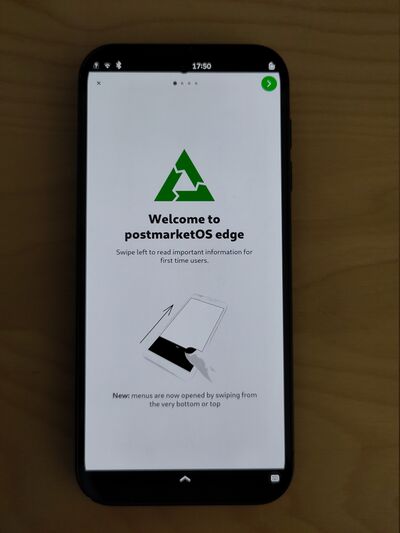
|
System on a Chip
Qualcomm Snapdragon 778G/778G+/782G (SM7325)
Snapdragon 778G (SM7325), Snapdragon 778G+ (SM7325-AE) and Snapdragon 782G (SM7325-AF) are premium mid-range Qualcomm SoCs released in 2021 and 2022. Additionally the IoT variants Dragonwing QCM5430 and Dragonwing QCM6490, and a compute variant Snapdragon 7c+ Gen 3 (SC7280) exist.
It is part of the Kodiak family of Qualcomm chips and has the codename Yupik.
Modem bugs
The OpenIMSd project aims to bring VoLTE (4G voice calls) to Qualcomm based phones (like the PinePhone) running Free Software Mobile Operating Systems including postmarketOS, Mobian, … We will create a daemon which runs in parallel to the Modem Manager, which configures the baseband via QMI and brings up all the required services to be able to place VoLTE calls.
Display
Screen resolution modes: only 1224 x 2700 is currently supported.
Screen refresh rates: only 90Hz is currently supported.
No Always-On-Display mode implemented by any graphical user interface.
Flashing
Unlock Bootloader via Fastboot:
Run next command
fastboot flashing unlock
or in the menu by using usually by holding Volume Down + Power
Flush OS
The easiest way is to use Web flasher.